NeoOffice
NeoOffice
Loading
NeoOffice® is Mac OS X office software funded entirely by donations from our users
Change language: Holandština Angličtina Francouzština Němčina Italština Japonština Norština Španělština

NeoOffice Mobile users:
NeoOffice Mobile application for the iPhone, iPad, and iPod touch now available
Help test the new security and stability improvements for the next version of NeoOffice

Downloady

Download NeoOffice 3.1.1 for Mac OS X 10.4 nebo novější

Although NeoOffice is free, we ask that you donate a small amount before you download NeoOffice.

The cost and time spent on NeoOffice are trivial for a large corporation, but they are very large for the two people that operate the NeoOffice project. Donations not only help us provide free downloads of NeoOffice, but they also allow us to fund continued development, bug fixing, and special services for our donors.

Můžete darovat prostředky buď pomocí kreditní karty nebo z účtu PayPal. Even though we use PayPal as our credit card processor, please note that a PayPal account is not required when using a credit card. Použijte tlačítko níže pro zaslání daru:

Zasílaná částka:

Do you have a NeoOffice Support forum or a NeoOffice Mobile account?
If yes, enter your account's user name and we will automatically link your donation to your account:
User name (optional):

Important: Be sure to press the Return to NeoOffice.org button to return to our site after you complete your donation.

If you have made a donation recently, there is no requirement to donate again. Just click the Skip Daru button to go to the list of the available downloads.

Minimální požadavky pro provoz NeoOffice 3.1.1

Budete potřebovat následující, abyste mohli nainstalovat a provozovat NeoOffice:

  • Mac OS X 10.4 nebo novější
  • Mac Intel or PowerPC machine
  • 512 MB operační paměti
  • 400 MB volného místa na disku
Important Warnings for All NeoOffice Users

Since NeoOffice is tested by users, we expect that users will find crashing or other serious bugs. We strongly recommend that you save your work frequently so that if you encounter a crashing bug, you will not lose much data. If you feel that you need software that has been heavily tested, we recommend that you use a commercially-supported product like Microsoft Office or Apple iWork.

Only install the versions of NeoOffice that are listed on this web site. Please do not install an unlisted version even if you downloaded it from this web site in the past. Using such unlisted versions is very risky as unlisted versions have bugs that we have fixed in the listed versions.

Lastly, when users report crashing or other serious bugs, we fix these bugs as fast as possible and release small patches that contain these bug fixes. We recommend that you get the latest bug fixes by downloading and installing the latest NeoOffice patch installer.

Instalace NeoOffice 3.1.1

Make sure that you read the important warnings for all users and check out the list of features and bugs before you install NeoOffice.

Dvakrát poklepejte na soubor, který jste si stáhli z těchto stránek. Tato akce spustí aplikaci Disk Copy. Disk Copy by měla automaticky otevřít soubor a připojit disk s názvem NeoOffice. Dvakrát poklepejte na nově připojený disk NeoOffice na Desktopu. Tato akce otevře nové okno v aplikaci Finder se souborem NeoOffice.pkg. Dvakrát poklepejte na NeoOffice.pkg což spustí instalační program.

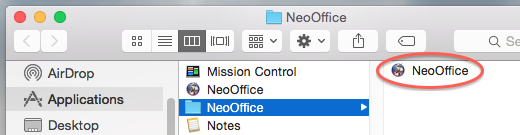
Standardně instalační program vytvoří aplikaci NeoOffice ve složce /Applications na vašem disku. NeoOffice spustíte dvojitým poklepáním na její ikonu v programu Finder.

Important: Po instalaci balíku NeoOffice stáhněte a nainstalujte poslední sadu záplat NeoOffice.


Instalace podpory ostatních jazyků

By default, the installer only installs English but language packs are available for other languages. To add support for any of the other languages not included in the installer, install NeoOffice 3.1.1 and then download and install the language pack for your language.

A list of available language packs can be found here.

Odstranění NeoOffice 3.1.1

NeoOffice odstraníte ze svého systému přesunutím aplikace NeoOffice ze složky Applications do koše.

Odstranění aplikace NeoOffice z vašeho systému nebude mít žádný vliv na jakoukoli instalaci OpenOffice.org, protože NeoOffice a OpenOffice.org mají samostatné konfigurační a uživatelské soubory.