
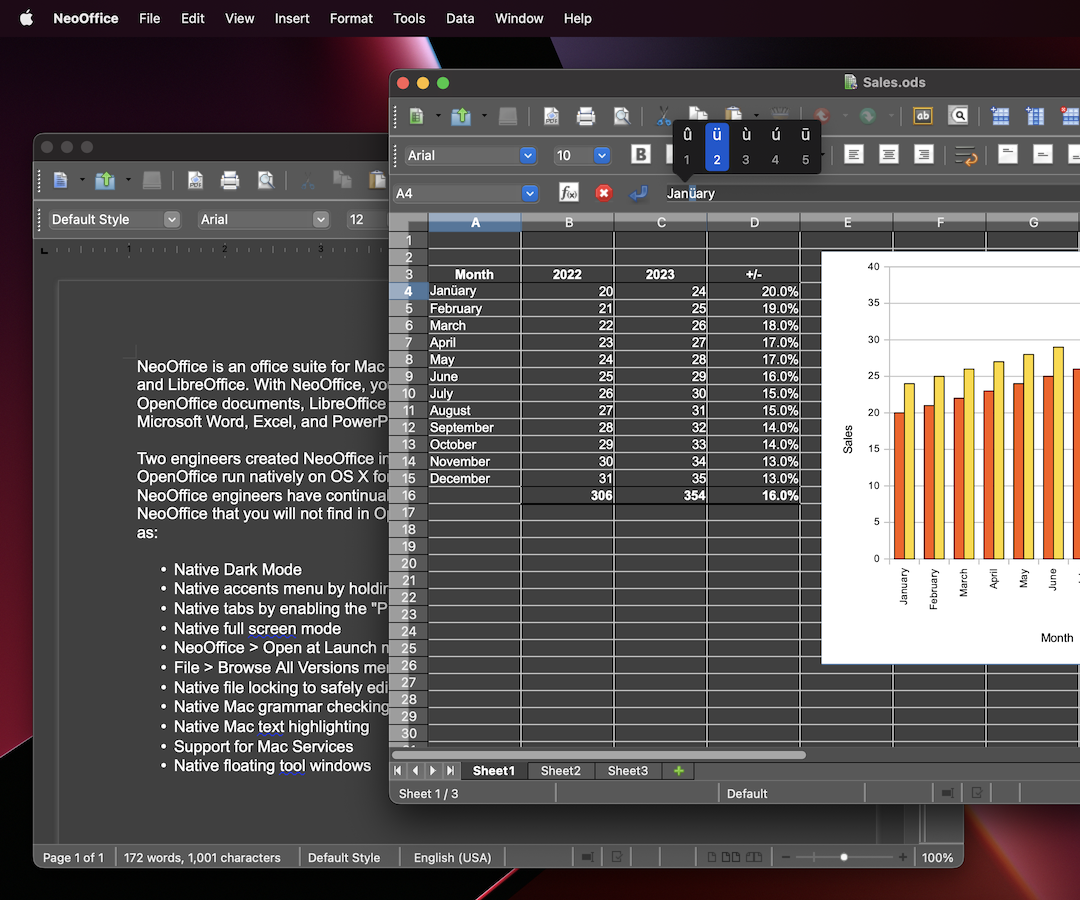
 NeoOffice è una suite per ufficio per macOS basata sulle vecchie versioni di OpenOffice e LibreOffice. Con NeoOffice, puoi visualizzare, modificare e salvare i vecchi documenti OpenOffice e LibreOffice.
Nota: se hai bisogno di visualizzare, modificare e salvare documenti LibreOffice o Microsoft Office più recenti, potresti provare LibreOffice. Nella maggior parte dei casi, l'ultima versione di LibreOffice può aprire e salvare i documenti di Microsoft Office molto meglio di NeoOffice.
Due ingegneri di NeoOffice hanno creato NeoOffice nel 2003, quando hanno fatto OpenOffice funzionare in modo nativo su OS X per la prima volta. Nel corso degli anni, gli ingegneri di NeoOffice hanno aggiunto a NeoOffice le seguenti funzionalità macOS che non troverai in OpenOffice o LibreOffice:
- Pannelli nativi abilitando la preferenza di sistema «Preferenza pannelli»
- Modalità a tutto schermo nativa
- Menu di NeoOffice > Apri al inizio per aprire Calc o Impress, invece di Writer al inizio
- Menu di File > Sfoglia tutte le versioni per ripristinare le versioni precedenti dei voi documenti
- Blocco nativo dei file per modificare in modo sicuro i file in iCloud Drive, Dropbox o dischi di rete
- Controllo di grammatica nativo Mac
- Evidenziazione nativo Mac
- Sopporto per i Servizi di Mac
- Finestre degli strumenti native flottante